
That's true—many craft businesses don't initially see the benefits of an ERP system as clearly as they do with a new machine. A machine produces tangible results, whereas an ERP system organizes processes—and that's exactly where the decisive added value lies.
Often, isolated solutions arise in a business that depend on individual people and do not interact with each other. Zentro ensures that all resources in the company—from sales to design to production—work together.
This creates transparency and enables a genuine division of labor. When one person does everything, a lot of work is done “in their head.” But as soon as several people are working on a project, clear processes and shared access to information are needed. That's exactly what Zentro offers.
Translated with DeepL.com (free version)
We see three key areas that Zentro covers:
- Sales: The salesperson can immediately see what the customer wants. New inquiries, such as for a kitchen, can be started with a quote template and checklist. The salesperson creates a rough quote, and the estimator refines it—all digitally linked.
- Production: Employees in the workshop are fully integrated. They receive digital parts lists and can provide feedback or initiate changes via the parts-based chat.
- Project management: Internal coordination and customer communication run via the same system. From design requirements and customer feedback to status overviews, everything is available centrally.
Each employee has their own personal dashboard that automatically displays important tasks, deadlines, and open items—based on document status, roles, and schedules. This ensures that nothing is left undone.
Communication is key. With Zentro, communication is digital and traceable, both internally and externally.
If a customer says, “Please don't use the red handle!”, this can be entered into the system immediately – on the go, directly from a mobile device. This shortens distances and avoids misunderstandings.
Project management also benefits because information is not lost but develops throughout the entire course of the project – from the rough room concept to furniture design to production and assembly.
The technical bill of materials is transferred directly from the CAD system.
Material requirements, working hours, and production steps are derived automatically. This creates a target/actual comparison without any additional effort: calculated values are compared with actual times and material consumption.
What many craftsmen “calculate in their heads” happens automatically in the system—Zentro is like a skilled assistant who thinks along with you.
If you approach the project with commitment, it happens surprisingly quickly.
We have examples where the purchase decision was made within two weeks of submitting the quote, installation took place at the end of the month, and the following month the business was already running with the first processes such as quotes and invoices.
At the same time, the technical bill of materials is set up in the test system and employees are trained.
It is important to start with a functional basic block and then make fine adjustments to the “live object.”
No company can accurately assess what it is buying after a two-hour presentation—that's normal. The decisive factor is the trust between the carpenter and the ERP partner. If that is there, open questions and challenges can be resolved together.
Zentro can be operated both on the customer's premises and in the cloud. Each customer has their own server and database – there are no mixed systems.
The data is stored in a transparent filing structure that the customer can access at any time.
Quite clearly: its practical usability.
Those who have to work with it on a daily basis are usually convinced immediately.
The best approach is to address specific customer questions in a live demo and show how Zentro supports their daily tasks. Then you quickly realize that the system not only provides an overview, but also enables the further development of internal processes.
Zentro contains its own practical production control system—specifically designed for carpentry businesses.
Industrial systems are usually too complex and overly detailed. We deliberately take a simpler but effective approach here.
Production employees always have up-to-date information, can view parts lists directly on the screen, provide feedback, and send status reports.
Part-based production through to automated part completion reporting is integrated – in other words, genuine batch size 1 production for project business.
All work steps and production sequences are described in the system—for example, according to material combinations.
This means that each company does not have to reinvent the logic. We provide template packages that can be customized. This turns experience into standard practice – and standard practice into efficiency.
Zentro is much more than just an ERP system – it is a practical, fully integrated production control system that has been specially developed for project-oriented manufacturing.
A central element is the project tree, which can be used to describe, calculate, and further develop projects on several levels—from the initial room concept to the individual piece of furniture.
Zentro fully covers classic ERP functions: warehouse management, purchasing, ordering, invoicing, article master data management, interfaces to external systems, banks, and accounting are integrated at the core.
Depending on the size and requirements of the company, different package variants are available – from smaller businesses to larger project companies.
Technically, Zentro is a database-based system in which documents are linked externally. This keeps the data structure open, traceable, and transparent – a system that grows with the company.
Zentro is an ERP software that maps all commercial processes in the company and offers integrated parts lists, CRM, capacity planning, time recording and post-calculation, among other things.
Zentro includes various interfaces to CAD and CAM systems, suppliers and accounting.
Our customers come from a wide range of industries, such as carpentry, painting and interior design. In principle, however, the ERP system can be customized for a wide range of industries.
Zentro specializes in order-related calculations. Depending on the phase a project is in, the appropriate costing for materials and working time is carried out.
Plausibility and completeness checks are available for this by automatically adding up working times, purchase and sales prices and automatically calculating mark-ups.
Zentro supports you in scheduling your orders, either through automated backward scheduling or manually via drag-and-drop.
The planned working times from the calculation are transferred to capacity planning. You can also see the utilization of your resources, taking into account feedback from time recording.
Zentro is an enterprise software that can be used in conjunction with various database systems, such as Microsoft SQL Server, MySQL and MariaDB.
The software is used for both Windows and Linux and is also continuously tested for both operating systems.
The data is stored in a relational database on the server (e.g. Microsoft SQL Server). The Zentro Client is a desktop application and platform-independent.
All other modules are also available as desktop applications.
At least 4 GB RAM and an up-to-date operating system.
Zentro can be used partially web-based. The time recording solution has a web client. Firefox, Edge and Chrome are currently being tested as browsers.
Rights management is implemented using a role concept. Individual rights are combined into groups for a better overview. Users are assigned to one or more groups. The user rights are divided as follows: Create, Read, Edit and Delete.
Zentro ERP is infinitely scalable from the single-user license - that means you decide how many user licenses you need.
The Zentro ERP system serves as a link to all your existing software solutions. It can be opened for almost any data source and can also supply data for a wide variety of external systems.
Imports and exports of tenders, product catalogs, stock levels, delivery times, prices, orders, order confirmations, delivery bills and invoices are provided.
EDIFACT, IDoc, DATANORM, tender interfaces according to GAEB and ÖNORM, online stores such as Magento, Oxid, marketplaces such as Amazon-de, Amazon-fr, Amazon-uk, ebay, OpenCad, S&S, CAD+T, Imos, RSO, Pro Engineer, Inventor, SolidWorks, Pytha, CAM/CNC for Holzher, Schelling, Homag, Dimter, Langzauner, Lantec, Fibu e.g. BMD, RZL, WinFibu, ... e.g. BMD, RZL, WinFibu, ...
Yes, the Zentro ERP system offers you the option of creating ad-hoc reports at any time, taking into account all stored project data.
Zentro offers a wide range of search and filter options. It is possible to search, filter, group and sort by quantities, times, units, product groups, customers, business areas, cost centers, persons responsible as well as by any evaluation dimensions.
It is possible to record working times for quotations, orders and production orders as well as for quotation, order and production order items (or assemblies). Zentro also has a release mechanism here, which can be customized as required.
An assignment to the order or workpiece is stored in the system for this purpose.
Yes, documents can be stored for customers, receipts, document items (components) and articles, for example.
Yes, the corresponding documents can be assigned to customers, vouchers and document items (components).
This is defined via the rights management in Zentro. In addition, the user has individual setting options, for example showing and hiding columns, enlarging and reducing areas and distributing the application across several screens.
Time recording and cost recording can be used as an app for mobile devices. The support of tablets depends on the installed operating system (Windows / Linux).
Yes, to send e-mails, you can either call up the standard mail program of the operating system or send the messages directly via SMTP.
Yes, this is made possible with the help of preliminary costing in the order and a Gantt chart for capacity planning.
Rough planning can take place at department level, while detailed planning can take place at employee level.
The planned workload is displayed graphically for each department and each employee.
Orders can be divided into batches or combined using production orders. The visualization in the Gantt chart shows workload peaks at an early stage. Editing the order division via drag-and-drop makes it easy to move orders.
A visualization of the workload at department and person level is provided for this purpose. Absences from time recording are automatically taken into account. Other resources such as forklifts and assembly buses can also be mapped.
Yes, the Zentro ERP system enables simple and time-saving delivery bill creation.
Yes, you can enter comments on the individual parts in the Zentro ERP system at any time.
Filtering is possible within a cost estimate and across all created cost estimates. For example, you can filter by article number, working time articles, materials, quantities, customers, descriptions, prices, etc.
Yes, the release process is mapped via status releases and the rights system. There is a document status for each document and a delivery and billing status for each document item. The characteristics of the various status values and the rights can be defined individually.
The calculation can be carried out directly in the quotation document, whereby the calculation rules are stored in a similar way to formulas in Excel.
Text templates can be mapped using the article master, whereby the creation of assemblies is also provided for. All calculation data is saved in the quotation document in the relational database.
Post-calculation offers, for example, a target/actual comparison of price and quantities per consumed or calculated item or at product group level. A report generator and various chart types (column, bar and line charts), pivot tables and heat maps are also available.
Yes, Zentro allows you to change the calculation at a later date if you wish.
Yes, thanks to the free filter and grouping options in combination with the available data sources, evaluations regarding turnover, actual cost-based contribution margins and much more can be generated as required. Comparisons by order, project, customer, salesperson, project engineer and other criteria can therefore be realized individually and without additional programming.
Yes, the final costing is an evaluation that is created automatically on the basis of the quantities and prices from the preliminary costing, the recorded working times and the materials used. Various display formats are provided. The evaluation of costs and mark-up factors can be configured variably for each product group and cost element.
In preliminary costing, the costs can be calculated with various mark-ups and mark-downs and compared with the planned sales price for each item.
The sales price of an item can optionally be totaled from the sales prices of its sub-items or freely defined. The calculation of the contribution margin is available at every level.
Yes, quantities and units (e.g. time units, pieces, units of measurement), packaging quantities and conversion factors (e.g. for different units in purchasing and sales) and much more can be taken into account.
Yes, the surcharges are provided for each costing item. Surcharges that are standardized across companies, such as metal surcharges, are managed as sub-items for better maintainability.
With the help of cost centers and freely definable evaluation dimensions, production specifics can already be defined and taken into account in the calculation or when creating articles.
CARPENTRY
"With Zentro, we finally have all the information in one place. Everyone knows exactly what the status of an order is and what's coming up next. That makes our day-to-day work much easier."
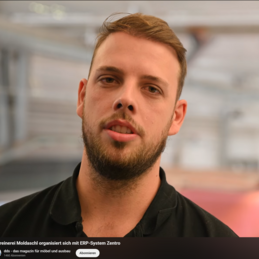
Heiko Moldaschl
Junior manager and workshop manager
Schreinerei Moldaschl
Patrick Fleig
Technical Managing Director
Schreinerei Moosmann
BUILDING and FURNITURE CARPENTERS
"Everything works at least as promised and better than we thought it would."
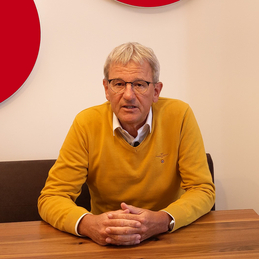
Franz Hackl sen.
Managing Director
Tischlerei Hackl
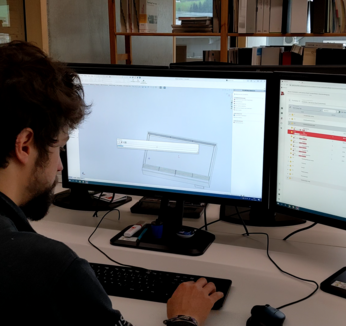
CARPENTRY
"The biggest advantage of Zentro for us is that all processes are mapped in one interface. This creates transparency and traceability of orders. I chose Zentro because I think it's the best programme on the market."
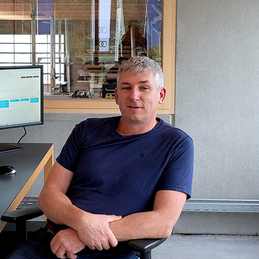
Rüdiger Huschle
Managing Director
Schreinerei Huschle
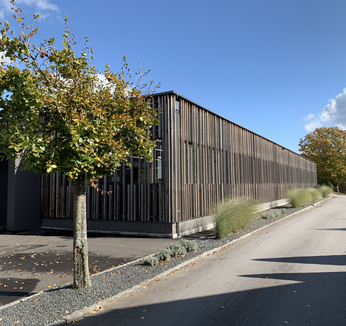
PROPERTY DECORATOR
"We were looking for a long time for a solution that could meet our requirements in terms of innovation, flexibility, transparency and ease of use. Zentro Go was able to fulfil our individual requirements 100%."
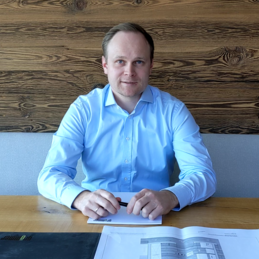
Konrad Grömmer
Operations manager
Tischlerei Grömmer
Do you have any questions? We will be happy to advise you.

We look forward to your call at
!

Please write to us at
by e-mail!

Zentro GmbH
Grubbachstr. 71
4644 Grünau im Almtal
Austria
© 2024 Zentro GmbH